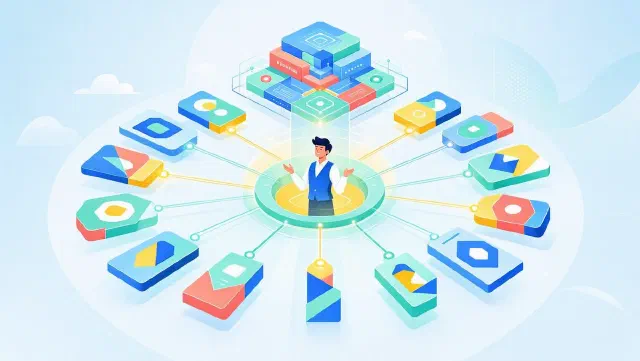

Claude can now open files, launch development tools, navigate your screen, run your application, identify bugs by looking at what’s actually rendered, and ship the fix. One prompt. One continuous loop. No handoff.
That’s a different category of tool than what most developers are using today.
What It Actually Does#
The capability sounds deceptively simple: Claude can see your screen and interact with it. But the implications for autonomous coding are significant.
Here’s a concrete example of what a single Claude Code session can now do with Computer Use enabled:
- You describe a layout bug in a web app
- Claude opens the codebase, reads the relevant files
- It launches the dev server and opens a browser
- It looks at what’s actually rendering — pixels, not just code
- It identifies the CSS specificity conflict causing the bug
- It edits the file, reloads, and visually confirms the fix is correct
- It runs the test suite and reports back
That loop previously required a human at the keyboard for steps 3, 4, and 7. Now it doesn’t.
The Technical Architecture#
Computer Use in Claude Code works through a built-in computer-use MCP server — not a separate product, not a plugin, but a first-class tool within the agent’s existing context. This matters architecturally: the same session that has access to your files, terminal, and git history can also see and interact with your screen. It’s a unified context, not a handoff to a different system.
The implementation requires macOS Accessibility and Screen Recording permissions. Claude Code version 2.1.85 or later is required, and the feature is available to Pro ($20/month) and Max ($100–$200/month) subscribers.
Anthropic also raised the output token ceiling to 128K for Opus 4.6 and Sonnet 4.6 to support longer autonomous runs — longer-horizon tasks need more room to reason and output.
Safety by Default: Code First, Screen Second#
One design choice worth calling out: Claude tries code and API routes first. Computer use is the fallback, not the default. If Claude can accomplish something by reading a file or calling a shell command, it will. The screen gets involved only when there’s no programmatic alternative — typically when visual verification is the point.
Every screen interaction also requires explicit user permission before it executes. This isn’t optional and cannot be bypassed in the current research preview. Anthropic’s framing here is deliberate: the agent gains capability while the human retains the final veto.
This is consistent with how Anthropic has approached Auto Mode and other expansions of Claude’s autonomy — incremental capability extension with explicit human control surfaces, rather than full autonomy shipped all at once.
Dispatch: Your Agent Works While You’re Away#
The most interesting use case isn’t “Claude fixes a bug while you watch.” It’s what Anthropic calls Dispatch: you send a task from your phone, and Claude completes it on your desktop while you’re doing something else.
You’re in a meeting. You tap a message on your phone: “Fix the login redirect issue we discussed.” Claude Code picks it up, opens your codebase, reproduces the bug, patches it, runs the relevant tests, and notifies you when it’s done. You review the diff on your phone.
This is asynchronous, autonomous software development. It is not pair programming. It is not AI-assisted coding. It is delegation — the same kind of delegation you’d give a senior engineer you trust.
The difference between this and what Cursor’s agents do is worth naming: Cursor’s computer use capability (announced the same week) runs inside an IDE. Claude Code’s runs in a terminal-native environment with MCP as the integration layer. One is a UI feature; the other is an architecture. When you need your agent to interact with external tools, APIs, or systems that don’t have a VS Code extension, the distinction matters.
Why This Is the Agentic Milestone People Have Been Waiting For#
Most “agentic” AI coding tools today operate in text space. They read code, write code, and run text-based commands. They’re blind to anything that requires visual context — rendered UIs, error dialogs, accessibility trees, layout bugs, visual regressions.
Computer Use breaks that constraint. Claude can now work with the full surface area of software development, not just the parts that are representable as text.
This unlocks several categories of tasks that were previously out of reach for autonomous agents:
- Frontend debugging: layout issues that only appear in a running browser
- Integration testing: verifying that UI state matches expected behavior
- Desktop tooling: interacting with IDEs, database GUIs, design tools
- Legacy systems: applications with no programmatic API, where the UI is the only interface
- Documentation: generating accurate screenshots or UI descriptions from live state
None of these require the agent to have write access to your entire system. The combination of selective screen access, granular permissions, and MCP’s tool scoping means capability can be extended without opening the blast radius.
The Road Ahead#
Computer Use is in research preview — the qualifier matters. Anthropic is collecting data on how developers actually use it, what goes wrong, and where the permission model needs refinement. Expect the feature to evolve quickly.
The bigger story is what this represents in Anthropic’s roadmap. The trajectory from Claude Code’s early 2025 launch to today: agentic sessions → Multi-agent orchestration (Agent Teams) → Auto Mode → Computer Use. Each step extends how much of the software development lifecycle Claude can handle end-to-end.
What comes next? The logical extension is persistent agents that run continuously, monitor codebases, respond to events (CI failures, new issues, Slack pings), and take action — not when you prompt them, but when the situation warrants it. The infrastructure is already there. The remaining piece is trust, built incrementally through exactly the kind of controlled rollout Anthropic is running now.
Computer Use is not the end state. It’s the capability that makes the end state possible.
Sources